Basketball / Sport Capture Cameras
Every one of these devices does the same job: point at the court, come away with video. What separates them is cost, how much human effort each one needs, and — the part people find out too late — whether you can get your own footage back out as a file.
That last one matters most, because a video file is all Highlight Factory needs. A clip in Photos on your iPhone or Mac, or a file you downloaded off a camera platform. So for each option below we've noted how the video gets out, alongside the honest pros and cons.
Prices checked August 2026 and rounded; hardware pricing moves constantly, and most of these vendors run promos. Confirm before you buy. As an Amazon Associate we earn from qualifying purchases made through the tripod links below. For where to put the camera once you own one, see how to record a basketball game.
Phone-based setups
1. iPhone on a tripod
$25–50 for a tripod and clamp · no subscription
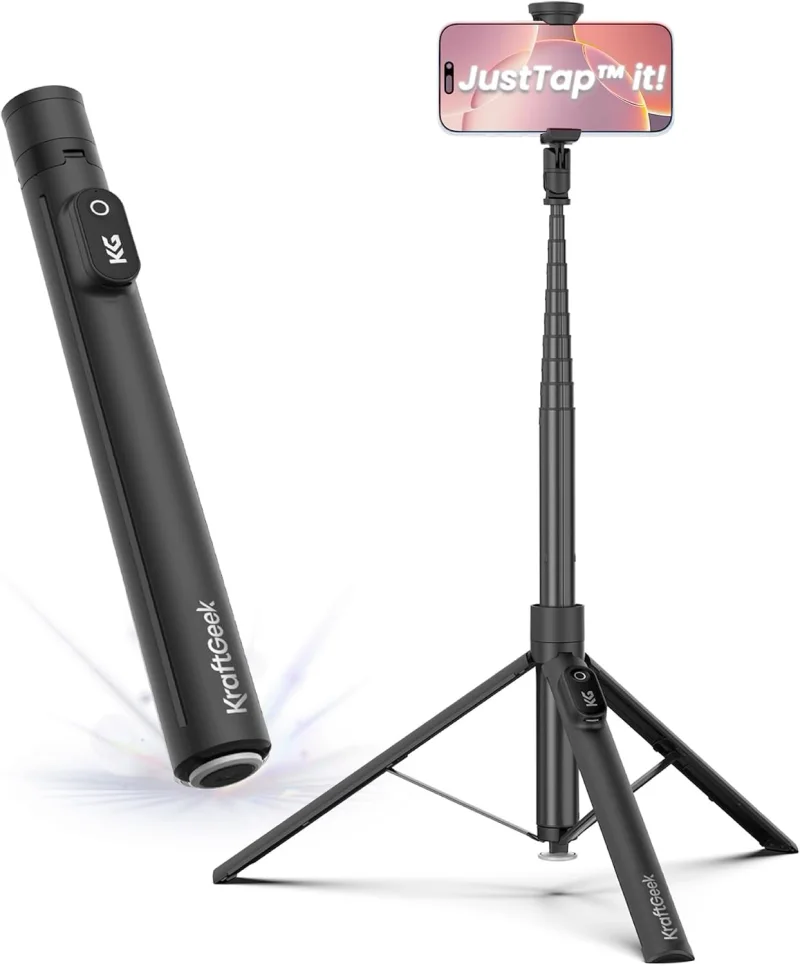
The one to beat, and the one most teams should start with. A current iPhone shoots 4K60, holds focus across a lit gym, and puts the file straight into Photos. The tripod is doing the real work — it's the difference between watchable film and a two-hour handheld wobble.
Two tripods we use ourselves:
- Compact quick-release tripod — sets up and packs down in seconds and fits in a gym bag. Tops out at 5 ft 6 in.
- Tall quick-release tripod — extends to 7 ft for real elevation, which makes film easier to watch and easier to analyze.
- Cheapest real setup by a mile — you already own the camera
- Excellent image quality, especially in poorly lit gyms
- Footage lands in Photos, ready to analyze immediately
- Nothing proprietary: the file is yours, forever, in a normal format
- Doubles as your everyday phone the rest of the week
- Someone has to frame it and press record
- Fixed frame — no tracking, so you must shoot wide and leave it alone
- Two hours of 4K eats storage (~24 GB) and battery
- Your phone is tied up for the whole game
2. iPhone + auto-tracking mount (XbotGo Chameleon)
XbotGo Chameleon ~$330–350 · no subscription
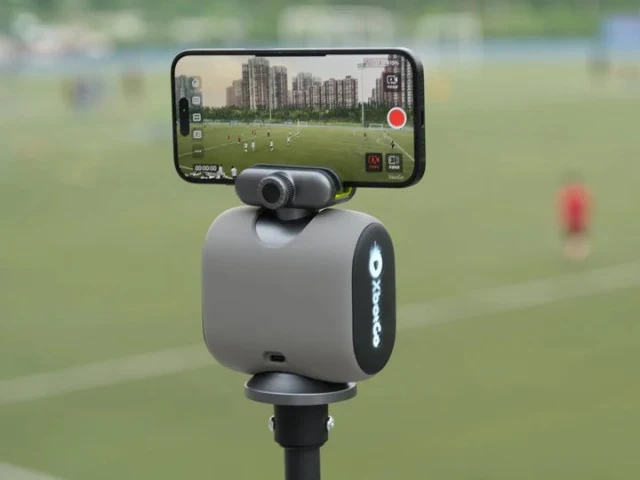
A motorized gimbal that grips your phone and pans to follow play, so nobody has to sit behind the camera. Your phone still does the recording, which is exactly what you want — the file behaves like any other phone video.
- No camera operator needed — set it and go coach
- No subscription, unusual in this category
- Records to the phone, so video is in Photos and instantly usable
- Works across sports and travels easily
- Costs more than a tripod for a benefit a tripod partly delivers
- Tracking pans and can crop the play — set the widest mode available
- Still consumes your phone's battery and storage
- One more thing to charge, mount, and remember
3. BallerCam
BallerCam ~$249 · free tier with 20 hours of cloud storage; $99/yr and $199/yr tiers for more · requires iPhone 13 Pro or newer
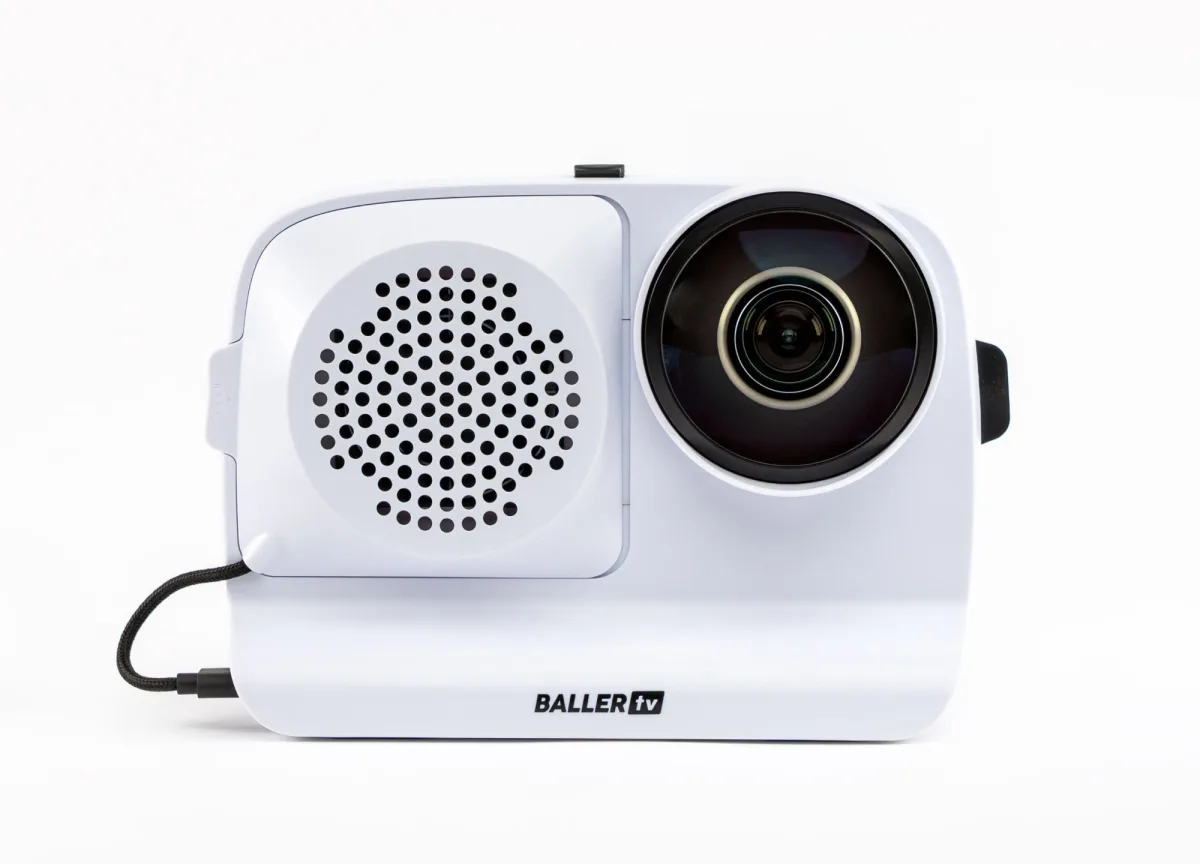
A case your iPhone slides into, fronted by a 180° lens that sees the whole court. Nothing mechanical moves — the AI pans and zooms inside that ultra-wide image, then records and streams. It's the most interesting middle ground on this list: hardware prices, phone convenience.
- No moving parts to fail, and setup is genuinely a minute
- 180° lens means the whole court is always captured, whatever the AI frames
- A free storage tier exists — rare here
- Built-in livestreaming for the parents who can't make it
- Games can be downloaded and exported, so your film isn't locked in
- Requires a fairly recent iPhone (13 Pro or newer)
- Your phone is inside the case for the whole game
- Cloud storage becomes a yearly cost once you're past the free tier
- Digital pan/zoom out of a wide lens gives up some detail versus a true optical zoom
4. Veo Go
Veo Go — phone rig around $59 · Veo subscription required
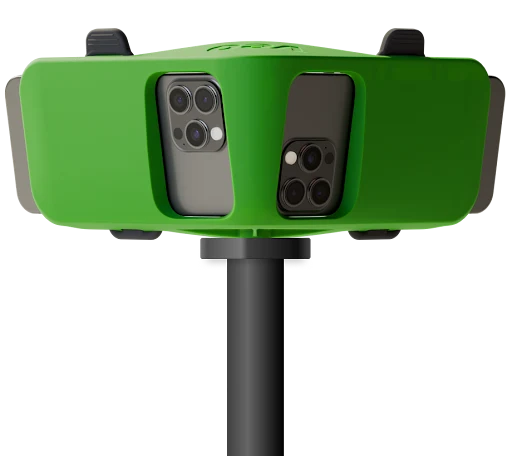
Veo's answer to the phone tier: a rig that holds two iPhones side by side, angled so that between them they cover the whole court, with Veo's software combining the two views and doing the processing. It's the cheapest door into the Veo platform, and useful if you want to try their ecosystem before committing to a camera — as long as you can put two phones on it.
- Very low hardware cost to get into a serious platform
- Veo's recording and follow-cam software, using phones you already own
- Two cameras cover the full court between them, so nothing falls out of frame
- A sensible trial run before spending four figures on a Cam 3
- Needs two iPhones — borrowing a second one every game gets old fast
- The subscription is mandatory — that's the real price
- Recording hours are capped by plan tier
- You're inside Veo's platform, so exports follow their rules
- Ties up two phones for the whole game, battery and storage included
Standalone cameras
5. XbotGo Falcon
XbotGo Falcon ~$898 · no subscription
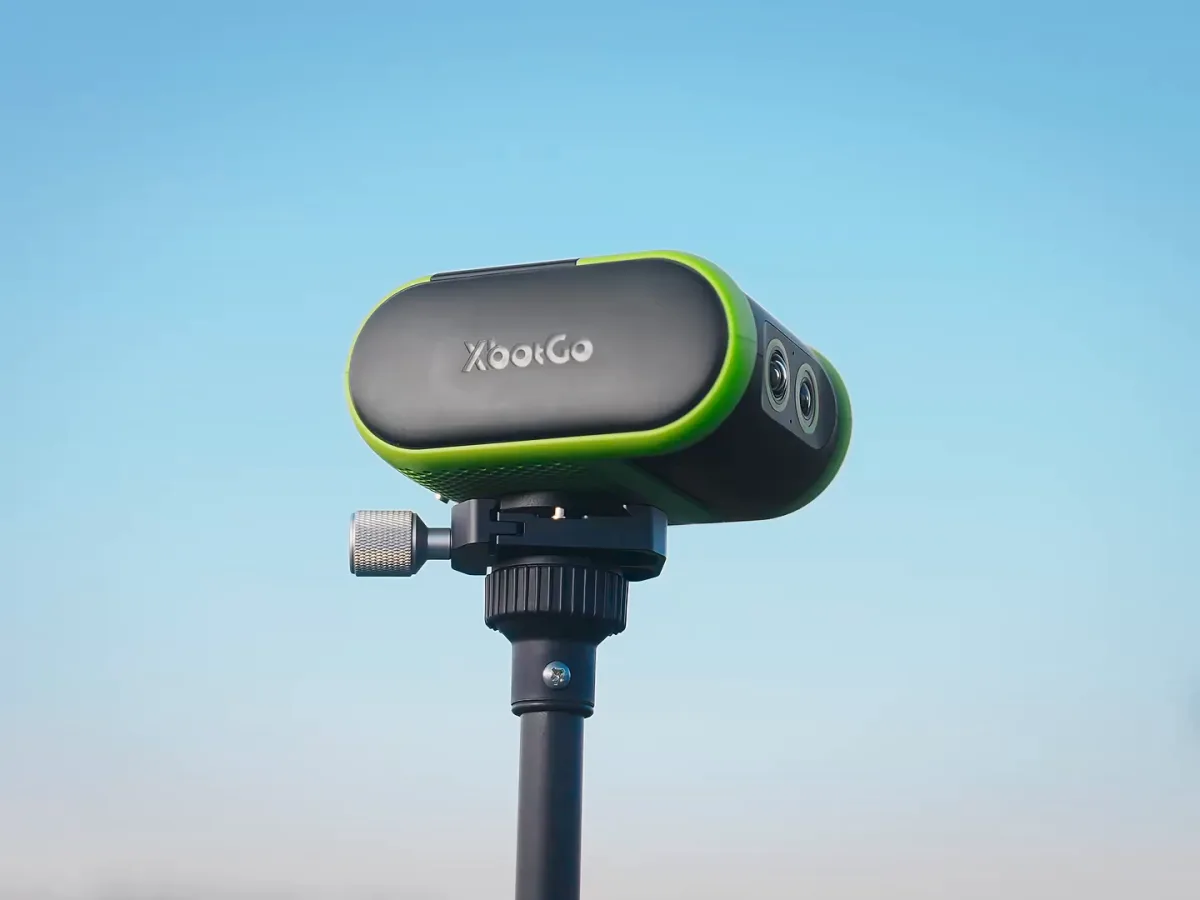
The all-in-one version of the Chameleon: a dual-lens 4K camera that tracks by itself and leaves your phone out of it. Notably, XbotGo sells this without a mandatory subscription, which makes it the cheapest way into "real camera, no recurring bill."
- No subscription — the total cost is the sticker price
- Frees your phone entirely during games
- 4K capture with automatic tracking, no operator
- Considerably cheaper than Veo or Hudl hardware
- A real four-figure-adjacent purchase for a single-purpose device
- Smaller platform and ecosystem than Veo or Hudl
- Another battery to manage and another bag to carry
- Automatic tracking is still tracking — it can miss off-ball action
6. Veo Cam 3
Veo Cam 3 ~$1,299 · subscription required (plans tiered by recording hours and team count)
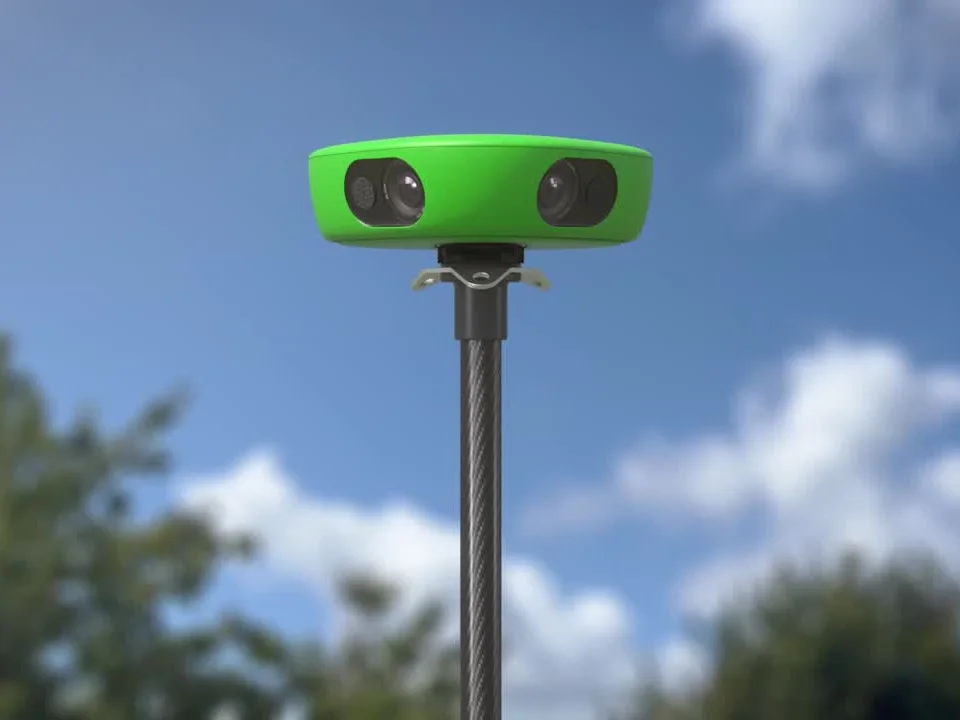
The best-known camera in team sports. A wide-angle unit on a tall tripod records the whole court and generates a broadcast-style follow-cam automatically. Enormously popular in soccer and increasingly common in basketball clubs.
- Genuinely hands-off — mount it, start it, walk away
- Mature platform with sharing, clipping, and team management
- Reliable, weatherproof hardware built for constant use
- Full-match MP4 downloads are documented, so you can take footage elsewhere
- Highest all-in cost on this list short of an installed system
- Subscription is mandatory and priced by recording hours
- Downloads are typically the follow-cam view and gated by plan
- Much of the analytics depth is soccer-first
7. Pixellot Air / Air NXT
Pixellot ~$1,000 for the portable unit · monthly subscription on top
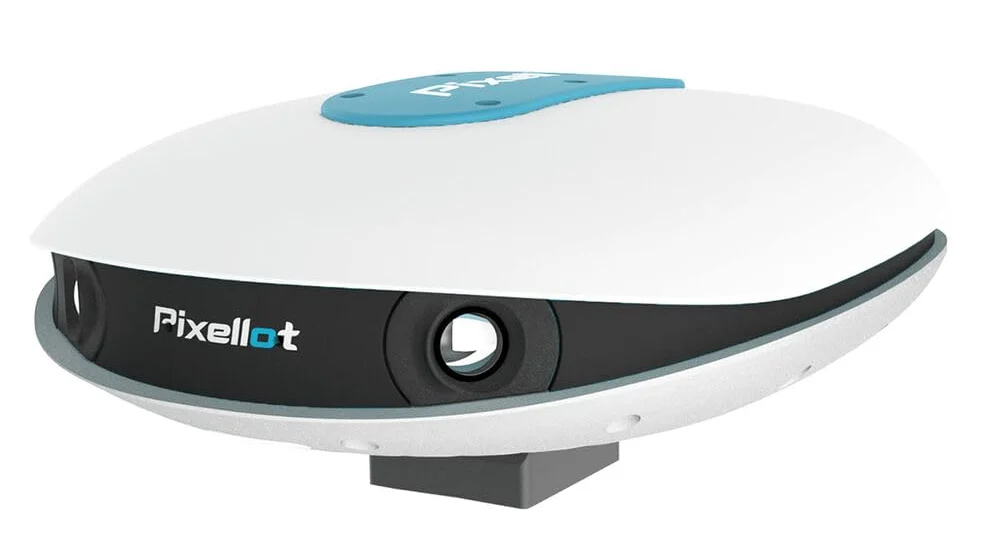
Pixellot's portable cameras do the same job as a Veo — panoramic capture, automatic production — with a heavier lean toward leagues, streaming, and facilities running many games a week.
- Automatic production and streaming built for high game volume
- Strong fit for leagues and tournament operators
- Portable models don't require an install
- Hardware plus a monthly subscription that scales with features
- Priced and shaped for organizations more than single teams
- Export rights depend on your plan — check before buying
8. OBSBOT Tail Air / Tail 2 (and PTZ cameras generally)
OBSBOT roughly $300–700 depending on model · no subscription
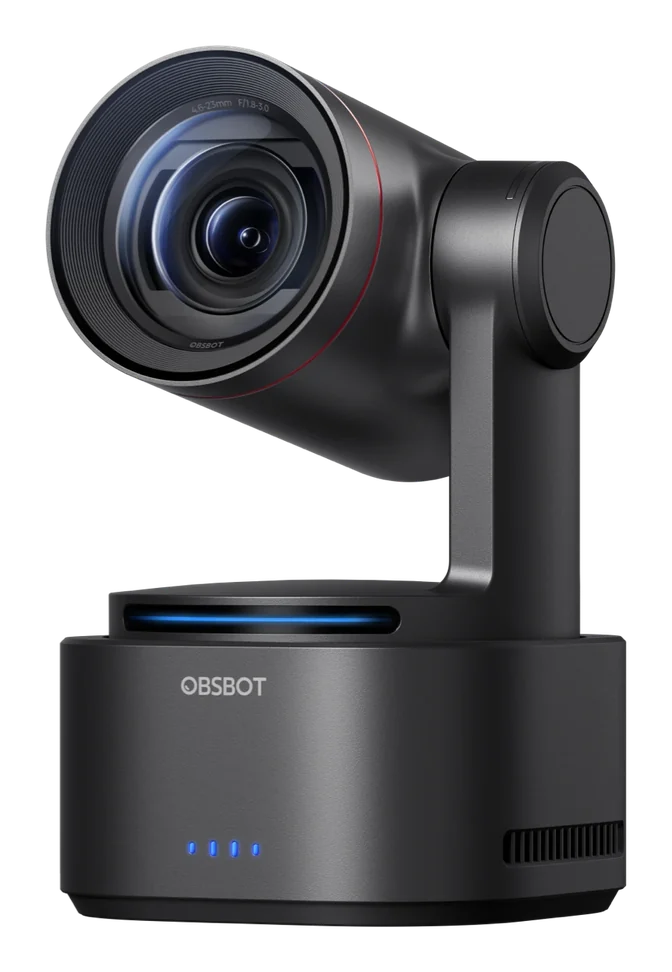
Not sports-specific — these are AI tracking PTZ cameras built for streamers, and they work well on a court. They record to a microSD card, which makes them the most "no strings attached" option here after a plain phone.
- No subscription, no platform, no account — just a camera
- Records to microSD, so you get an ordinary file
- Solid tracking and good streaming/HDMI options
- Useful year-round for anything else you film
- Tracking is tuned for people and creators, not basketball possessions
- No basketball-specific software behind it
- Card-to-computer import is an extra step every game
- Needs power for long sessions
9. Action cams — GoPro, Insta360
$200–500 · no subscription
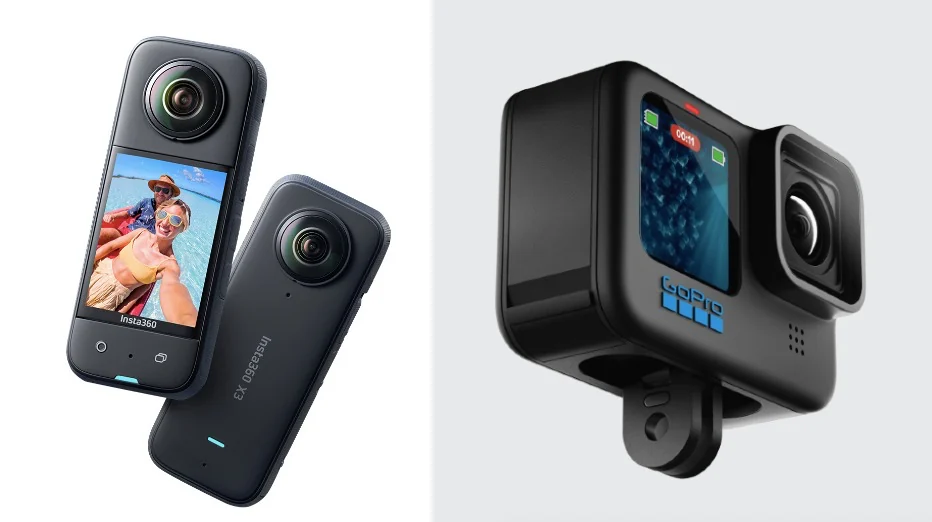
Underrated for basketball. Clamp a wide action cam to a railing at midcourt and you have a fixed full-court shot for a fraction of what a tracking camera costs. No tracking at all — but with a wide enough lens you don't need any.
- Very wide lens captures the entire floor from one fixed position
- Cheap, tough, and mounts to almost anything
- Files are standard video, straight off the card
- No subscription and no ecosystem to join
- Battery life often doesn't cover a full game without power
- Ultra-wide lenses distort at the edges
- Weaker in dim gyms than a modern phone
- Recording can split into multiple files
10. The camcorder or mirrorless camera you already own
$0 if it's in the closet
Plenty of programs have a camcorder from the last decade sitting in a storage room. On a tripod at midcourt it does the job — the picture may be softer than a new phone, but the footage is perfectly analyzable.
- Already paid for
- Real optical zoom and long record times
- Frees up every phone in the building
- Standard files, no platform involved
- Older sensors struggle in gym lighting
- SD card import is a step you'll do after every game
- Some models cap clip length and split files
- Nobody under 20 will volunteer to operate it
Installed venue systems
11. Hudl Focus
Hudl Focus — Focus Flex around $1,999; fixed indoor units quoted per venue · Hudl subscription on top
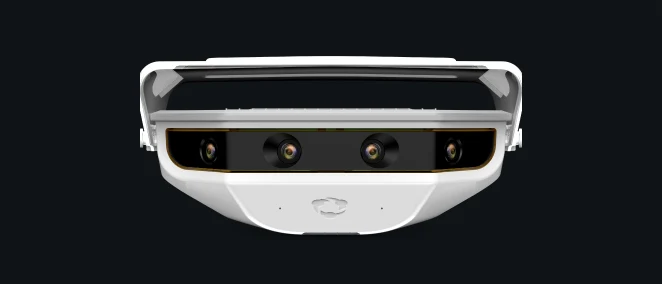
A camera bolted to the gym wall that knows your schedule, records every game and practice, and pushes footage into Hudl automatically. When it's installed, film stops being a task anyone has to remember.
- Truly zero effort once installed — nobody sets anything up
- Captures practices too, not just games
- Feeds directly into Hudl if that's where your program lives
- Highest total cost, and it only films one gym
- Requires an install, mounting, power, and network
- Layered on top of Hudl subscription pricing
- Your film lives inside Hudl's platform
12. Spiideo, Playsight, and facility-wide systems
Quoted per venue · institutional budgets
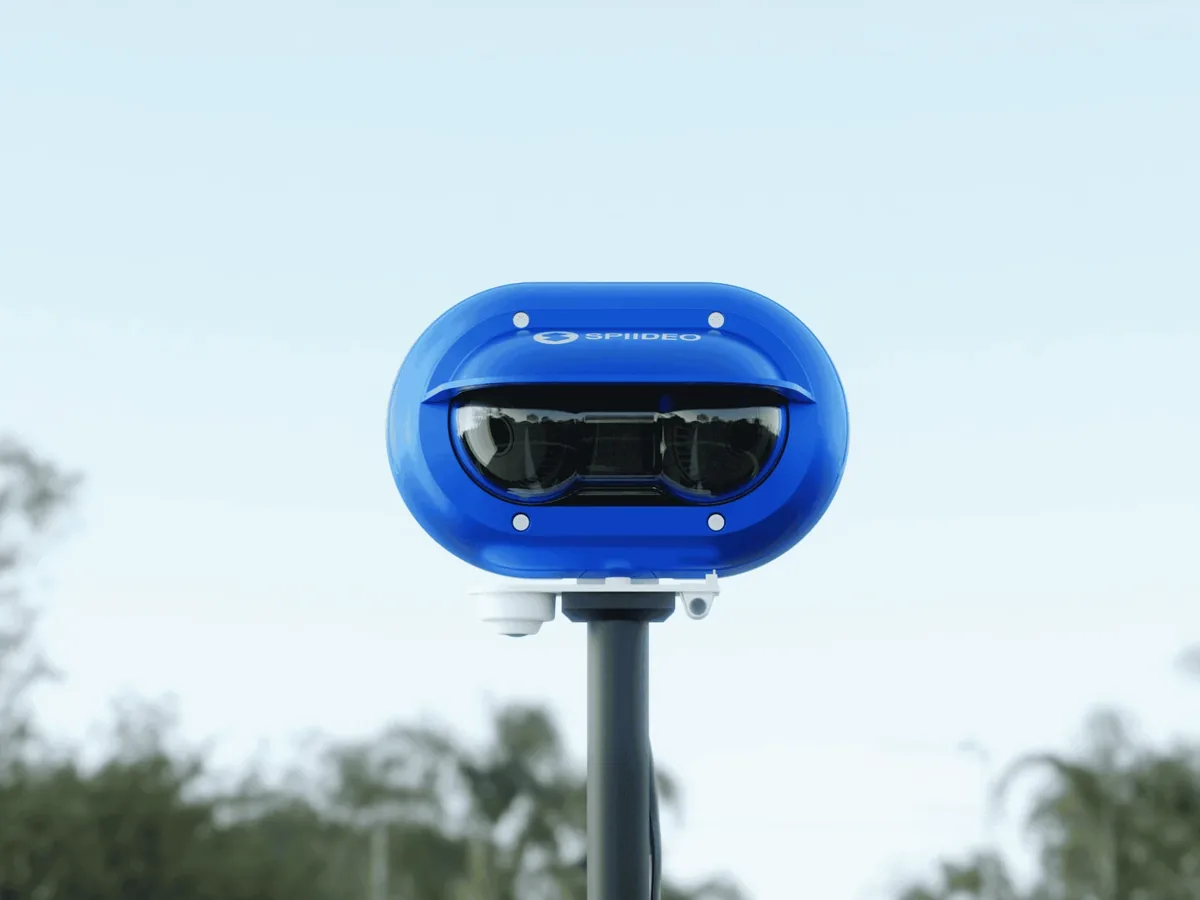
The top tier: multi-camera panoramic capture wired into a facility, usually bought by universities, academies, and tournament venues rather than teams.
- Broadcast-quality automated capture across whole facilities
- Every court, every game, no operators
- Streaming, analysis, and archiving as one package
- Costs are institutional, and quoted privately
- Long contracts and professional installation
- Individual teams rarely control the footage or the export settings
How to choose in one pass
- You just need to start: iPhone and a tripod. Nothing else on this list gives you more per dollar.
- Nobody will film: XbotGo Chameleon or BallerCam. Both keep the phone as the recorder and skip the four-figure hardware.
- You want the phone out of it: XbotGo Falcon if you hate subscriptions, Veo Cam 3 if you want the mature platform.
- You run a league or a facility: Pixellot, Hudl Focus, or Spiideo, depending on how much of the building you're wiring.
- Whatever you pick: confirm you can export the raw video before you pay. A camera whose footage you can only watch inside one company's player is a camera that limits what you can do later.
Where Highlight Factory comes in
All of it converges on the same file. Phone footage is already in Photos. A card from an action cam or camcorder imports to Photos or Files. Veo, Pixellot, BallerCam and the rest let you download the game, plan permitting.
Point Highlight Factory at that video — one file or several, if the game came in pieces — and the breakdown runs on your device: play-by-play you can jump around in, shot charts mapped to court location, box-score stats tied to the clip that produced them, and share-ready highlights. You buy the camera that fits your gym and your budget; the analysis doesn't care which one you chose.
Still deciding between platforms rather than cameras? See every basketball tracking app, compared.
Ready to build your reel?
The modern basketball film tool, powered with AI.